
Free vs Premium HEIC to PDF Converters: Complete Comparison Guide (2025)
📱 Free vs Premium HEIC to PDF Converters: Complete Comparison Guide (2025)
Choosing the right HEIC to PDF converter can be overwhelming with so many options available. This comprehensive guide compares free and premium solutions to help you make the best choice for your needs in 2025.
📸 The Modern Photographer's Dilemma
Imagine the scene in 2025: a real estate agent captures a series of stunning, high-resolution photos of a new property using their latest iPhone. The images are vibrant, detailed, and perfectly showcase the space. The problem arises moments later when they attempt to upload these photos to their company's portal, send them to a client using a Windows PC, or archive them for a marketing brochure. The .heic file extension, the default for modern Apple devices, becomes a frustrating roadblock. This scenario is not unique; it is a common dilemma faced by professionals and casual users alike, highlighting a central conflict between technological innovation and practical compatibility.
Apple's adoption of the HEIC (High Efficiency Image Container) format was a technically sound decision, offering superior image quality at a fraction of the file size of traditional JPEGs. However, this advancement came at a cost: HEIC exists within a "walled garden," creating significant friction when images need to be shared outside the Apple ecosystem.
Why Convert HEIC to PDF?
Converting HEIC to PDF offers several key advantages:
- 📱 Universal Compatibility: PDF works on all devices and platforms
- 🔒 Enhanced Security: Password protection and permission controls
- 📄 Professional Format: Perfect for business and official documents
- 💾 Space Efficient: Combine multiple images into one file
- 🌐 Web-Friendly: Easy to share and view online
🔍 Understanding the HEIC Format
What is HEIC?
HEIC, which stands for High Efficiency Image Container, is a modern file format for storing images. It uses the High Efficiency Video Coding (HEVC) standard, also known as H.265. Developed by the Moving Picture Experts Group (MPEG), HEIC was adopted by Apple as the default image format starting with iOS 11 in 2017.
✅ Advantages of HEIC Format
Apple's decision to switch from JPEG to HEIC was driven by several key technical advantages:
Superior Compression
- HEIC files can be up to 40-50% smaller than JPEG files of the same visual quality
- Allows users to store twice as many photos without sacrificing quality
- Reduces strain on both local device storage and cloud backup services
Enhanced Image Quality
- Supports 16-bit color depth (vs JPEG's 8-bit limit)
- Provides wider range of colors and smoother gradients
- Better detail in highlights and shadows
Advanced Container Features
- Can store multiple images (Live Photos, burst sequences)
- Supports alpha channel for transparency
- Stores valuable metadata like depth maps for portrait mode
⚠️ The Compatibility Challenge
Despite its technical advantages, HEIC has significant limitations:
Platform-Specific Issues
- Windows doesn't natively support HEIC files
- Requires specific extensions from Microsoft Store
- Android devices need third-party software
- Creates frustrating cross-platform experiences
Web Incompatibility
- Major browsers (Chrome, Firefox, Edge) don't support HEIC
- Cannot be used directly on websites or web applications
- Forces conversion for any web-based workflow
📄 Why PDF is the Ideal Target Format
While HEIC excels in compression and quality, PDF stands as the gold standard for document sharing and archiving. Here's why PDF is the perfect target format for HEIC conversion:
🌐 Universal Compatibility
- Supported natively across all platforms (Windows, macOS, Linux, iOS, Android)
- No additional software or codecs required
- Works consistently across all devices and applications
- De facto standard for professional document sharing
🎯 Document Integrity
- Maintains exact appearance regardless of viewing software
- Designed for long-term document preservation
- Crucial for legal documents and official records
- Ensures consistent presentation across different systems
💼 Professional Applications
- Required format for many business and academic submissions
- Standard for job applications, legal filings, and proposals
- Integrates high-quality mobile photography into professional workflows
- Widely accepted in corporate environments
⚡ Enhanced Functionality
- Combine multiple images into a single document
- Add text annotations and hyperlinks
- Apply password protection and security features
- Perfect for creating photo albums, portfolios, and reports
🔄 HEIC to PDF Conversion Methods
The market offers diverse conversion solutions, from free basic converters to premium enterprise-grade tools. Each category serves different user needs, budgets, and technical requirements.
🏠 Native and Built-in Solutions
Before exploring third-party tools, let's examine the conversion capabilities already built into your devices.
Apple's Native Solutions
Preview (macOS)
- Open HEIC file in Preview
- Use "File > Export As" and select PDF
- Works well for individual files
- Becomes tedious for batch conversions
Shortcuts App (iOS/macOS)
- Create custom workflows for HEIC to PDF conversion
- Useful for batch processing
- Can be triggered automatically based on conditions
Windows Built-in Options
Microsoft Print to PDF
- Available in Windows 10 and 11
- Requires HEVC codec installation
- Open HEIC in Photos app and print to PDF
- May require codec purchase from Microsoft Store
💻 Desktop Software Solutions
Desktop applications offer robust features and better performance for regular conversion needs.
Free Desktop Options
GIMP (GNU Image Manipulation Program)
- Free and open-source image editor
- Handles HEIC files with appropriate plugins
- Steep learning curve, may be overkill for simple tasks
IrfanView
- Lightweight image viewer
- Supports HEIC with additional plugins
- Good for batch conversions
- Balance between functionality and simplicity
Premium Desktop Solutions
Adobe Acrobat Pro
- Professional-grade conversion capabilities
- Advanced image optimization and compression
- Batch processing features
- Subscription-based, suitable for professionals
PDF Expert (Mac)
- Popular PDF editor with HEIC conversion
- Comprehensive PDF editing tools
- Good middle ground for Mac users
📱 Mobile Applications
Convert files directly on mobile devices with dedicated apps.
Free Mobile Apps
HEIC Converter (iOS)
- Dedicated HEIC conversion app
- Batch conversion capabilities
- Basic customization options
- May include ads or watermarks in free version
Image to PDF Converter (Android)
- General image-to-PDF conversion
- Many now support HEIC files
- Batch processing and basic PDF customization
Premium Mobile Solutions
PDF Converter by Readdle
- Comprehensive mobile PDF solution
- Advanced features like OCR and cloud integration
- Professional-grade output quality
🌐 Online Conversion Services
Web-based converters offer convenience but raise privacy and security considerations.
Free Online Converters
CloudConvert
- Popular online conversion service
- API access for developers
- Batch conversions with usage limitations
Convertio
- Clean interface and multiple format support
- Free accounts limited by file size and daily conversions
Premium Online Services
SmallPDF
- Comprehensive online PDF platform
- Premium removes file size limits
- Enhanced security and batch processing
ILovePDF
- Broader PDF toolkit with HEIC conversion
- Unlimited conversions and advanced customization in premium
| Feature | Native OS Tools (Mac/Win) | Desktop Software (Paid) | Mobile Apps (Freemium) | Typical Online Converters | heic2pdf |
|---|---|---|---|---|---|
| Cost | Free | One-time or Subscription | Free with Ads/Limits | Free with Limits | Completely Free |
| Batch Conversion | Clunky / Limited | Yes | Often a Paid Feature | Limited Free Use | Yes, Unlimited |
| Live Preview | No | Varies | Rare | No | Yes |
| Merge/Separate PDF | Manual / Difficult | Yes | Often a Paid Feature | Varies | Yes |
| Watermarking | No | Yes | Often a Paid Feature | Rare | Yes |
| Installation | None | Required | Required | None | None |
| Privacy Risk | Low | Low | High | Medium-High | Low (Files Deleted) |
🚀 heic2pdf: The Complete Solution
🎯 Why Choose heic2pdf?
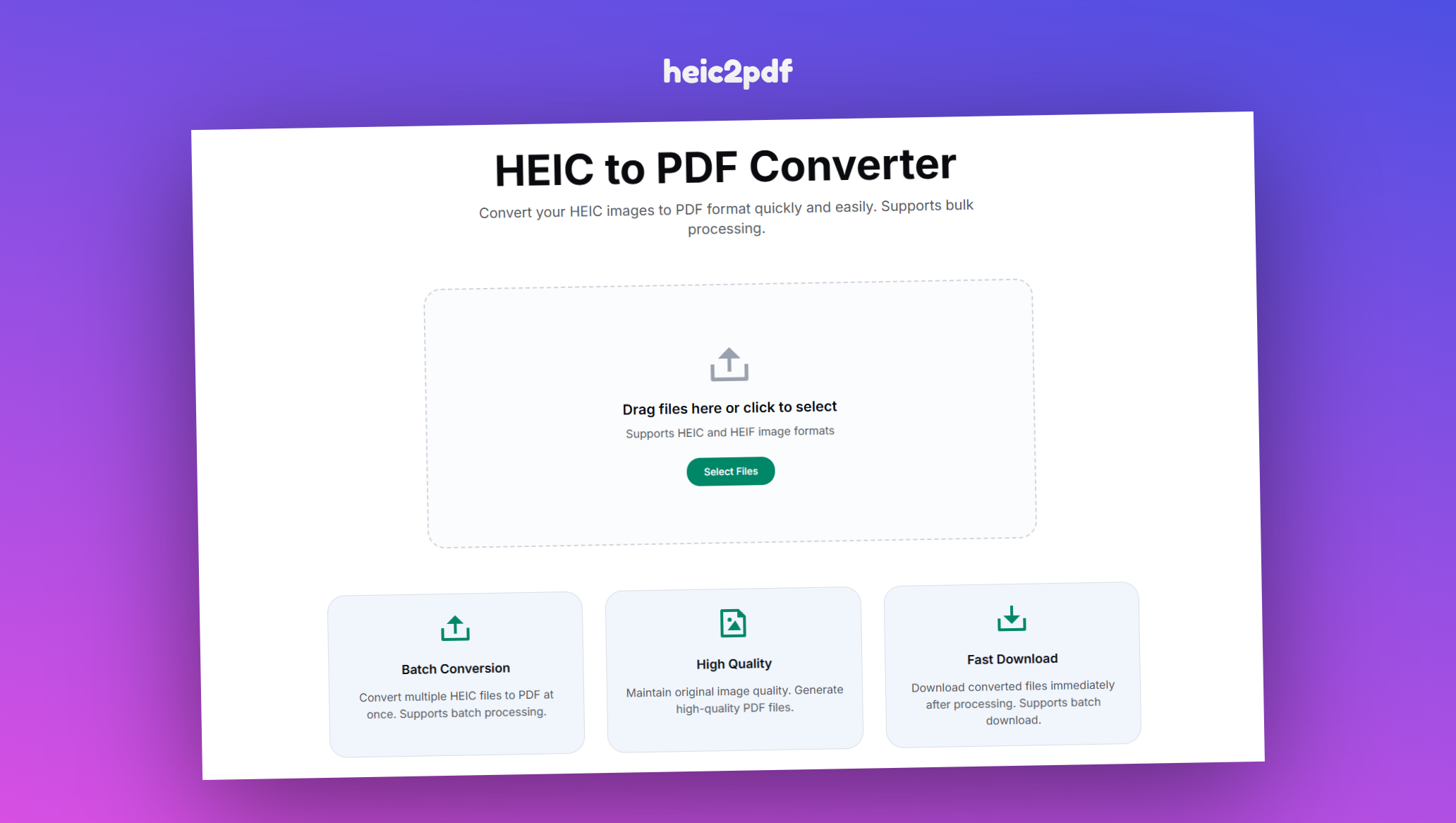
heic2pdf is a web-based platform designed to eliminate the trade-offs found in other conversion methods. It delivers a professional-grade, feature-rich conversion experience that is completely free, secure, and accessible to everyone.
⭐ Key Features
Unlimited Batch Conversion
- Drag and drop entire folders of HEIC images
- Process multiple files simultaneously
- No limits on number of conversions
- Saves time and effort compared to one-by-one processing
Live Preview
- See exactly how your images will be arranged
- Reorder images with simple drag-and-drop
- Ensure perfect layout before conversion
- Eliminates guesswork and prevents errors
Pristine Quality
- Advanced algorithms preserve original resolution
- Maintains crisp detail and rich colors
- Lossless visual fidelity in conversion
- Professional-grade output quality
Flexible Output Options
- Merge into Single PDF: Perfect for portfolios, albums, or reports
- Create Separate PDFs: Ideal for individual receipts or product images
- Choose the option that fits your workflow
Integrated Watermarking
- Add custom text or image watermarks
- Protect copyright and brand documents
- Professional feature available for free
- Essential for photographers and businesses
Completely Free
- No hidden fees or subscription requirements
- No daily usage limits
- No intrusive advertisements
- Full feature access for all users
Privacy and Security
- Files handled over secure connections
- Automatic deletion after conversion
- Privacy-first policy
- Your data remains private
📋 How to Use heic2pdf
The conversion process is simple and intuitive, requiring just four easy steps:
-
Upload Your Images
- Navigate to heic2pdf
- Drag and drop HEIC files or click upload button
- Supports multiple file uploads
-
Customize Your Conversion
- Arrange images in desired order using live preview
- Choose "Merge into single PDF" or "Create separate PDFs"
- Add watermark if needed
-
Convert
- Click "Start Converting" button
- Processing completes in seconds
-
Download
- Download your PDF files
- Batch download available for multiple files
💼 Professional Use Cases
heic2pdf can be integrated into various professional workflows:
🎨 Common Applications
Professional Portfolio
- Batch-convert project images
- Use live preview to arrange sequence
- Add watermark for branding and protection
- Generate single high-quality PDF portfolio
Business Expense Reports
- Convert receipt photos to individual PDFs
- Organize expenses efficiently
- Ready for accounting software submission
Legal Documentation
- Combine evidence photos into single PDF
- Maintain professional presentation
- Preserve evidence integrity
Family Photo Albums
- Create shareable digital albums
- Compatible with any device
- No special software required for viewing
💡 Best Practices
File Organization
- Name HEIC files sequentially for proper ordering
- Use descriptive filenames for easy identification
- Organize files before upload for efficiency
Watermarking
- Use semi-transparent watermarks
- Place in corners to avoid overpowering images
- Keep branding subtle but visible
Long-term Storage
- Convert HEIC to PDF for future-proofing
- PDF format ensures long-term accessibility
- Protects against format obsolescence
🎉 Conclusion
The digital imaging landscape presents both opportunities and challenges. While HEIC format offers superior quality and efficiency, its limited compatibility creates barriers to sharing and universal access. The solution isn't to abandon high-quality formats, but to bridge the gap with universally accepted standards like PDF.
This guide has shown that while many HEIC to PDF conversion methods exist, each comes with significant compromises:
- Native OS tools are free but inefficient and feature-poor
- Desktop software is powerful but costly and inconvenient
- Mobile apps often sacrifice privacy and user experience
- Most online converters restrict functionality to encourage upgrades
heic2pdf emerges as the definitive solution, offering:
✅ Unlimited batch processing
✅ Complete output control (merge or separate options)
✅ Professional features (live preview and watermarking)
✅ Strong privacy commitment
✅ Completely free with no compromises
Transform your high-quality HEIC images into universally accessible, professional PDF documents without any trade-offs. Visit heic2pdf to experience the future of image conversion.